Tech Breakdown: Maximize Your Smartphone’s Lifespan and Save Money
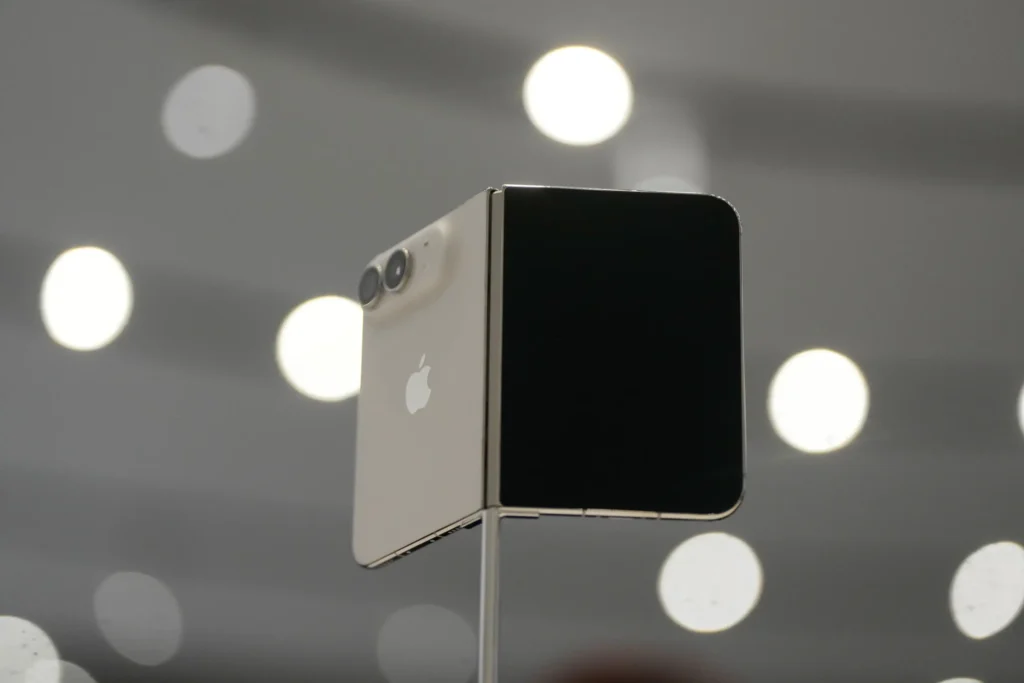
With flagship smartphone prices continuing to soar—including new high-end foldable models pushing toward the $2,000 mark—getting the most out of your existing device is one of the smartest financial decisions you can make.
As hardware innovation becomes more incremental and build quality improves, phone replacement cycles now average around four years, with many users successfully stretching device lifespans to seven years or beyond. Extending your phone’s usable life not only saves money but also significantly reduces global electronic waste.
Whether you plan to keep your current device running smoothly or protect a newly purchased phone, here are essential, science-backed maintenance habits to maximize device longevity:
1. Optimize Battery Health and Charge Cycles
The single biggest factor dictating a phone’s lifespan is its lithium-ion battery. Chemical aging—driven by charge cycles and temperature exposure—gradually reduces a battery’s capacity to hold a full charge and support peak performance.
- The 20% to 80% Rule: Lithium-ion batteries experience maximum stress when completely depleted (0%) or fully charged (100%). Most batteries begin degrading noticeably after 300 to 500 charge cycles (often reached within two years of regular use). To prolong life, keep battery levels between 20% and 80% whenever possible.
- Use Smart Charging Features: Take advantage of built-in optimized charging settings that pause charging at 80% overnight and complete the final 20% right before you wake up.
- Avoid Extreme Temperatures: Never expose your device to temperatures above 95°F (35°C) or freezing conditions. High ambient heat during charging accelerates chemical degradation, while leaving phones in hot cars or ice-cold environments damages battery cells. (And despite persistent myths, placing a battery in the freezer will not extend its life!)
2. Fine-Tune Power Settings
Reducing day-to-day power consumption lowers overall charge cycle frequency, directly preserving long-term battery health:
- Display Adjustments: Enable auto-brightness, shorten screen timeout durations, and use system-wide dark themes.
- Battery Diagnostics: Regularly inspect system battery usage settings to identify and remove background-draining applications.
- Power Saver Modes: Utilize built-in low-power modes when battery levels drop below 20% (or keep them active during long travel days) to limit background activity.
3. Invest in Essential Physical Protection
Sleek, slippery glass designs make drop protection mandatory:
| Protective Gear | Recommendation | Why It Matters |
| Protective Cases | Impact-Resistant Shells | Shock-absorbing cases cushion impacts from accidental drops. Note: Ensure the case allows heat dissipation, as trapped heat degrades internal components. |
| Screen Protectors | Tempered Glass or TPU | Offers superior scratch and impact resistance compared to basic, cheap plastic films. |
4. Keep Hardware Ports Clean
Accumulated pocket lint and dirt in charging ports or speaker grilles are a leading cause of charging failures, often falsely mistaken for hardware breakdown:
- Routine Maintenance: Clean charging ports, speaker grilles, and microphone openings regularly.
- Safe Cleaning Tools: Use dedicated electronic cleaning kits (anti-static brushes and air blowers) or carefully use a wooden toothpick and clean, dry toothbrush to clear debris without damaging internal pins.
5. Maintain Software Support and Repairability
Software longevity is just as crucial as physical durability:
- System Updates: Always install the latest system and security patches to maintain privacy protection and optimized battery management algorithms. Leading device manufacturers now offer between five and seven years of full operating system and security updates for modern devices.
- Self-Repair Options: Many newer devices offer easier modular repairs and available replacement parts (such as batteries and screens) for DIY fixes, enabling users to swap degraded parts rather than replacing the entire handset.
💬 What’s Your Phone Care Strategy?
How many years have you managed to keep your current phone running? What is your go-to tip for keeping your device in top condition? Drop your thoughts in the comments below!